iPhone and iPad
App Store
Scan the code with your camera, or tap the badge.

Built in Halifax for licensed childcare centres
Daycare management software for licensed childcare centres in Canada.
Directors get the whole centre on one screen. Teachers log attendance, naps, meals and infant milk from the room. Parents see check-ins, outings and today's menu right away, then the full daily care log the moment you publish it.
Teachers and families scan a code

4
Roles reading one day
Director, teacher, parent, kitchen
3
Ways to slice attendance
Centre, classroom, and child
3
Meal slots, one tidy plan
Breakfast, lunch, evening snack
1
Record everyone trusts
Staff write it once. Everyone else just reads.
Now on the App Store and Google Play
Scan a code with your camera, or tap the store that matches your phone. Your centre creates the account. Accept the invite with the code in your email, install the app, then sign in.
iPhone and iPad
Scan the code with your camera, or tap the badge.
Android phones and tablets
Scan the code with your camera, or tap the badge.
Life on the floor
Classroom home
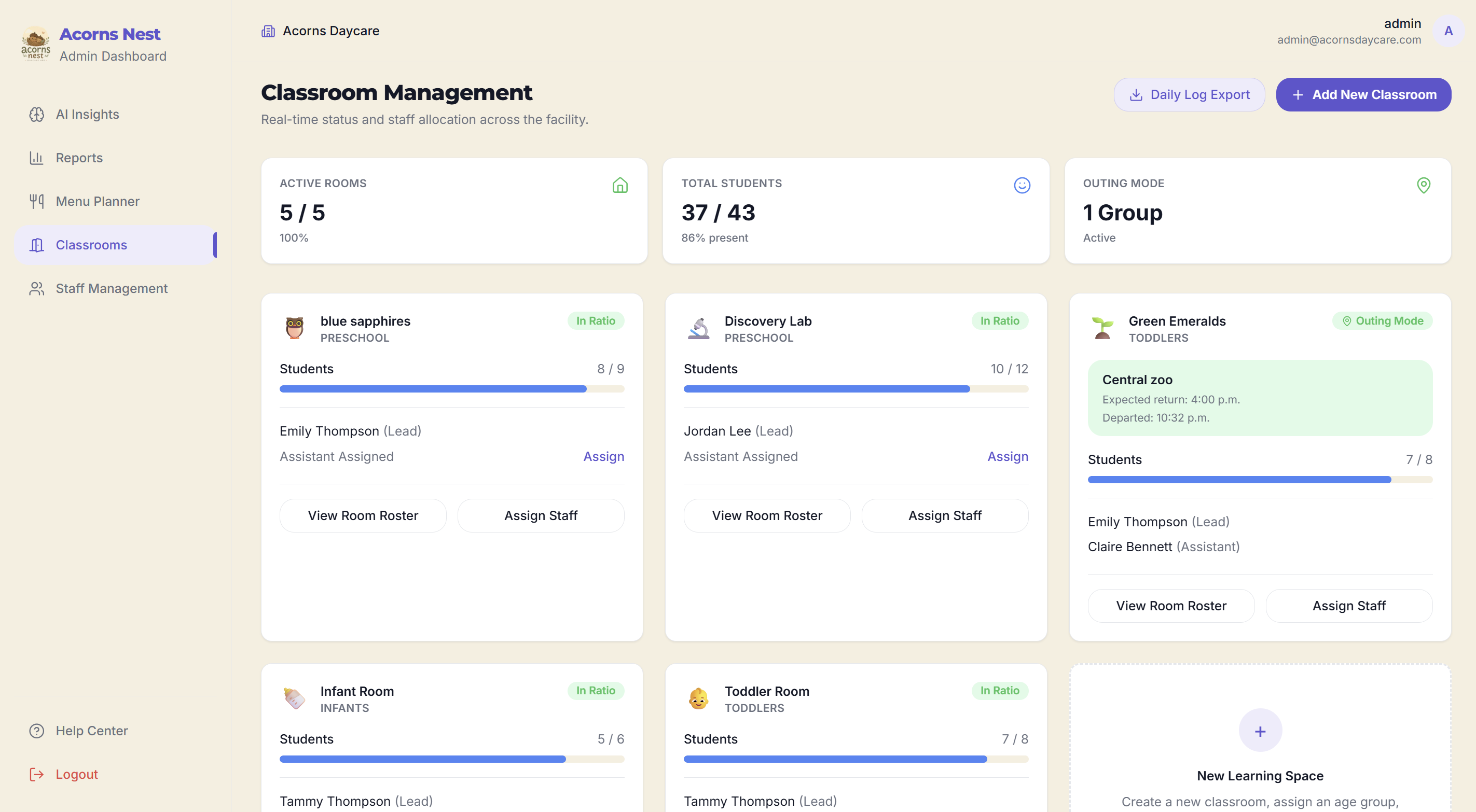
Open your room and the present count is already there, matched against the roster. Heading out? Outing Mode takes the destination and a return time, then tells parents so pickup meets you where you actually are. Tap any child for allergies, emergency contacts, and how their day is going.
One save, whole room
Bulk Log
Bulk Log covers Check In, Meals, and Naps. Hit Select All when everyone floods in, then save on the current time or pick your own. Appointments and early pickups get Mid-day Exit and Return. Nap timers run for one sleeper or the whole room, and yes, more than one nap a day.
What families actually read
Communicate
Communicate is a clean card feed: room and centre notes out in the open, a quiet word about one child kept private. Teachers and directors write the cards, so there's no newsletter to rebuild every Friday afternoon.
The week on a grid
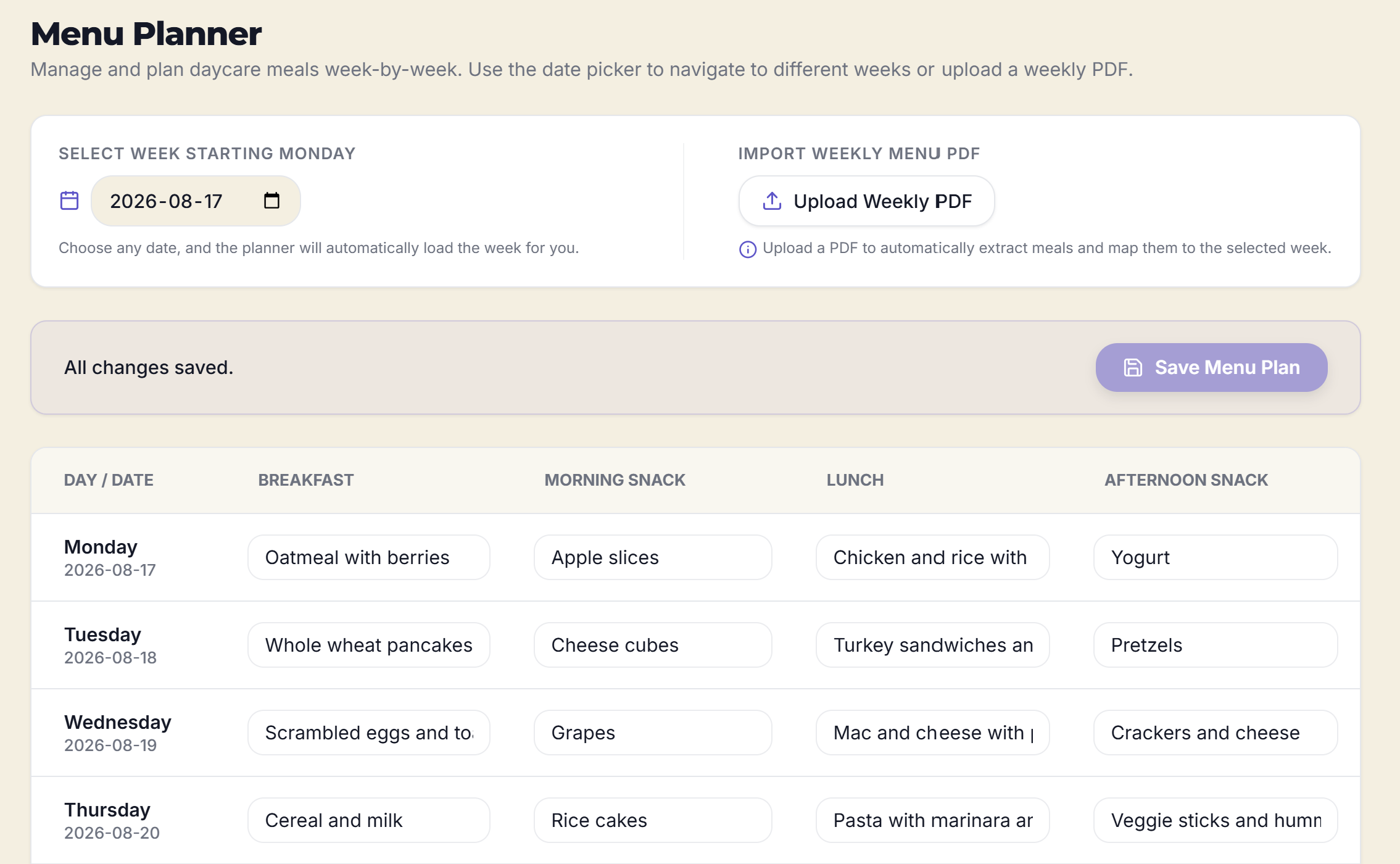
Menu Planner
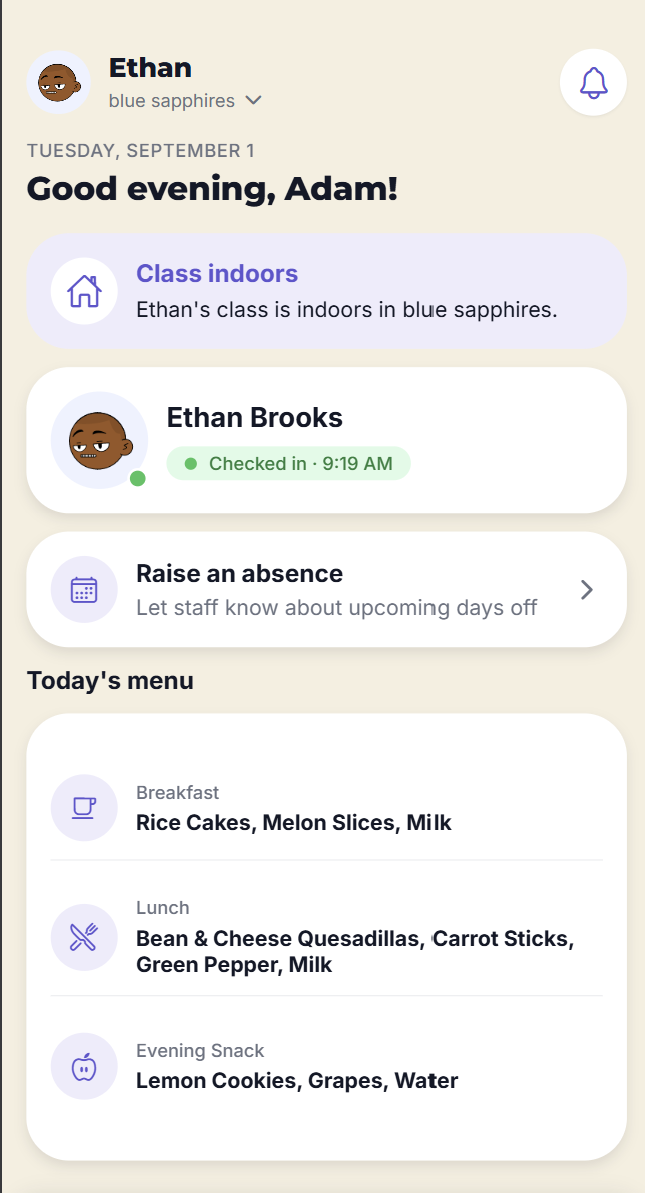
Fill Breakfast, Lunch, and Evening Snack from Monday to Friday. Save up to four reusable weeks from the PDF you already make, then put Week 1 on this week in one click. Typed changes stay on that week and do not rewrite the saved menus. Parents see today's meals on home.
How directors already think
Attendance reports
Attendance groups the way you already talk about it in a staff meeting: the whole centre, room by room, or one child. Filter the dates, spot the late arrivals and early pickups, then download the CSV for whoever's asking. Same check-ins your teachers saved in Bulk Log.
The people in the rooms
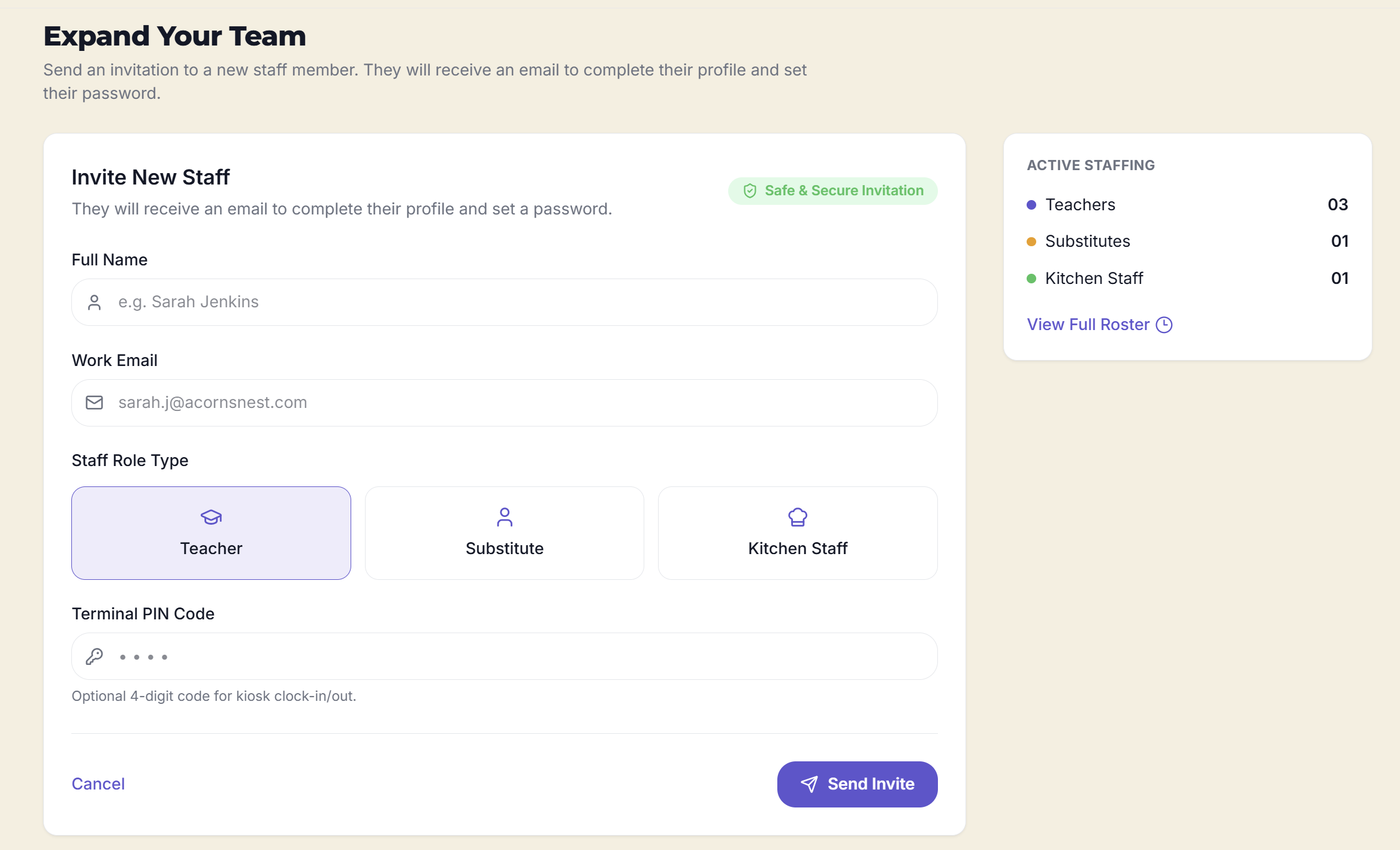
Staff & timesheets
Your roster in one place: teachers, substitutes, and kitchen staff, assigned to rooms, with On duty right on the card. Pending timesheets wait for your approve or reject, and the history stays put for payroll week.
From the logs the rooms already keep
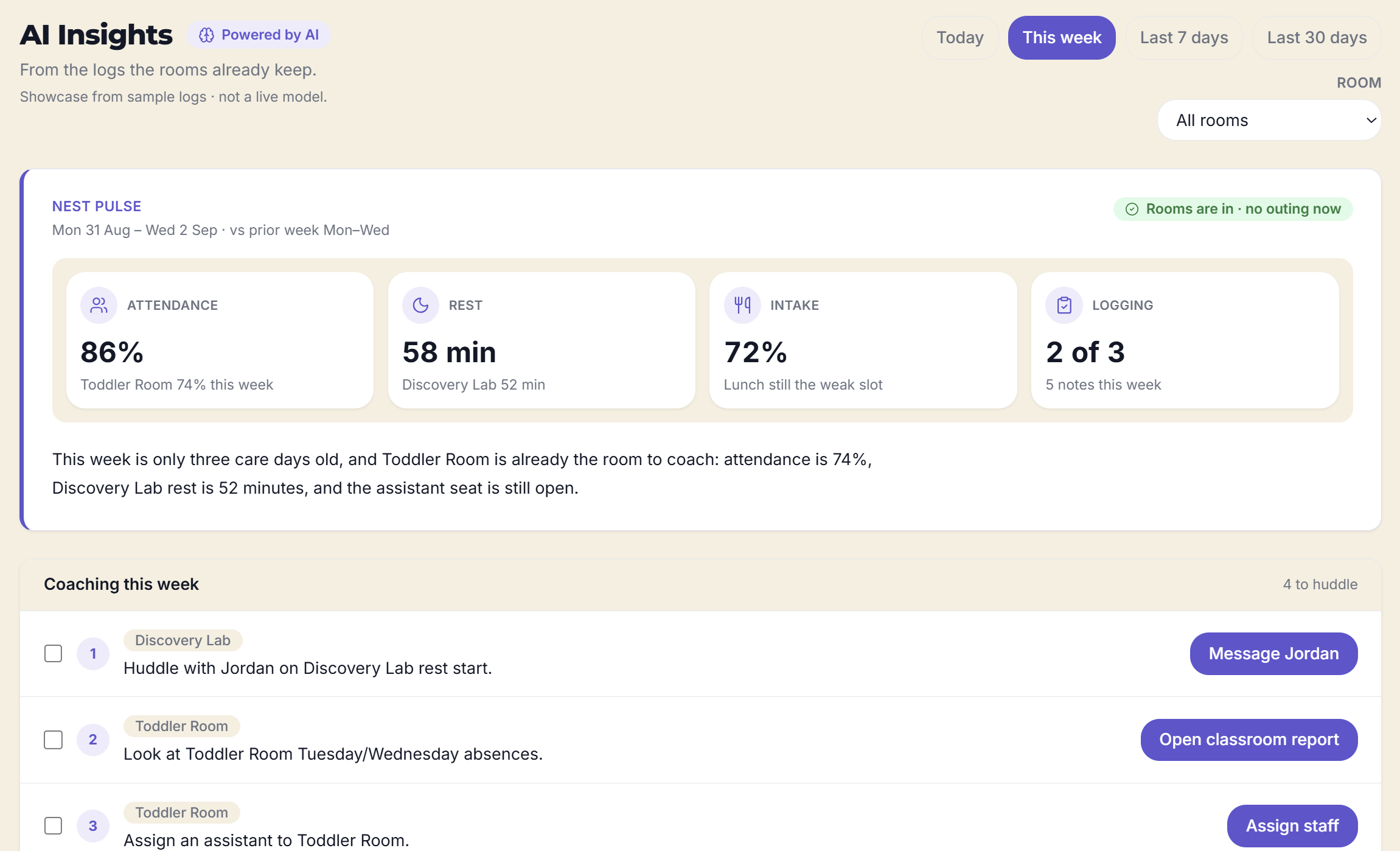
AI Insights
AI Insights reads the records your team already saves and hands back a short briefing for the window you choose, plus the follow-ups actually worth your morning. No new forms, no week-in-review spreadsheet.
From the director desk
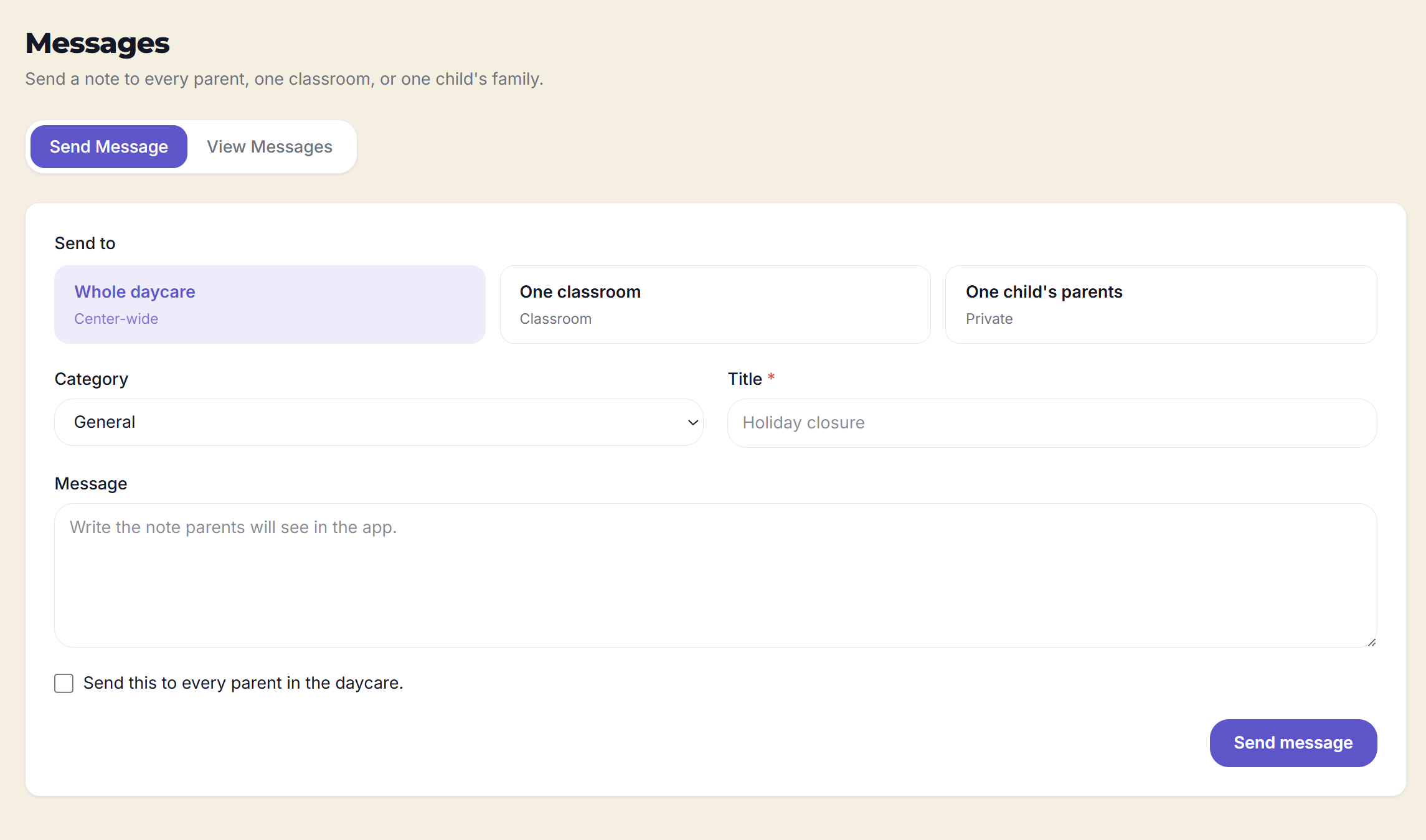
Messages
Send and Inbox, that's the whole idea. Write to every parent, a single classroom, or one child's family. Tag it so families know at a glance whether it's picture day or a nudge about spare clothes. Inbox keeps everything the centre has sent, teacher notes included.
After pickup
History
When you publish the day, families can look back at the same naps, meals, and attendance your teachers logged. One day, seven days, or thirty. It's the room's record, released on your schedule.
On file, on the floor
Child profile
Open a child from your room list and it's all there: attendance, naps, meals, allergies, dietary notes, emergency contacts, authorized pickups, and any special instructions. Parents see the same profile, so the details on file are the details everyone's working from.
Try a classroom
A working mock of the staff log, no account needed. Check someone in, start a nap, nudge lunch along, send the class to the park. Families see check-in and outings right away. Naps and meals go out when you publish the day.
Little Sprouts
3 / 4 present
Parent feed
What families see right now
Check-in and outings land right away. Naps and meals wait for you to publish the day.
Maya
Checked in
lunch 75% · publishes with today's log
Leo
Checked in
nap, lunch 50% · publishes with today's log
Noah
Checked in
lunch 100% · publishes with today's log
Who it's for
Directors, teachers, kitchen, and families each get the view that fits their hands. Underneath, it's the same attendance, the same meals, the same notes.
How a day runs
Select All and check the room in, start nap timers when the mats come out, and keep allergy notes a tap from your thumb.
Naps, meals, and the day's care log stay in the room until you release them, at the end of the day or a time you set. Outings and announcements can go out the moment staff hit send. Directors see the live rooms all along.
Attendance, substitute hours, and AI Insights turn tonight's logs into tomorrow's follow-up.
Directors open AI Insights and get a plain-English briefing from the logs the rooms already keep: where the centre is steady, and where a quick conversation would help. Every call is still yours.
A read on whatever window you choose, without pacing three hallways or exporting two reports to find it.
When a room or a family could use a follow-up, it's on a short list instead of buried in last month's numbers.
It runs on the logs your team already saves, and opens the same classrooms, messages, and reports you use every day.
Frequently asked
Short, direct answers about what Acorns Nest is, who it is for, and how children’s information is handled.
Acorns Nest is daycare management software for licensed childcare centres in Canada, built by Acorns Nest Inc. in Halifax, Nova Scotia. Directors run the centre from a web dashboard; teachers, kitchen staff and parents use the iOS and Android app.
Teachers log check-in and check-out, naps, meals and infant milk from the classroom. Directors manage classrooms, staff timesheets, weekly menus, messages and attendance reports by centre, classroom or child. Parents see check-ins, outings, menus and announcements as they happen, then the full daily care log when the centre publishes the day.
Licensed childcare centres in Canada: directors, lead and assistant educators, substitutes, kitchen staff, and the parents and guardians of enrolled children.
There is no public sign-up. The centre invites each parent or staff member by email with a code. They accept the invite at acornsnest.com/accept-invite, install the app, and sign in.
Check-ins, outings and announcements go out immediately. Naps, meals and the full daily care log stay with staff until the centre publishes the day, so families read a finished record.
Children do not have accounts. Acorns Nest does not sell personal information and does not use it for advertising. Data is processed on the centre's instructions. Our Privacy Policy sets out the detail.
Acorns Nest is built in Halifax, Nova Scotia by Acorns Nest Inc. The product is designed for licensed daycare centres across Canada.
See it with your kind of day
We'll go through the director dashboard, Bulk Log, and the parent home using rooms, menus, and messages that look like yours.